

As a famous thought says - "The only sure thing is change" - and this applies with full force to the digital world and Facebook in particular. In addition to changes in the algorithm, they are also happening in the purely visual part of the web - in the view of business pages. We'll take a look at the design and point out a few advantages.
1. Cover page layout
You'll recall that with the old design, we had to be mindful of exactly where we placed the text because the cover photo covered a certain portion of the cover. Also, underneath, the placement of the buttons and our business category took up extra space. With the new design, this problem is absent and we can use the full size of the cover.
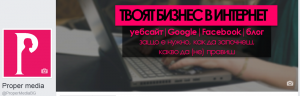
You can see that the advantages of the second option are more. The dimensions are familiar - 828 pixels width by 315 pixels height, and for mobile version - 640 pixels by 360 pixels. Still, think about the placement of your text so that it reads well in both versions and doesn't go out of size.
2. Adding call-to-action button

Thanks to the new, bold design of the call-to-action button, with the new placement there's a better chance people will click on it, though it's still a test. So if you haven't set up a button, now is the time to add one. Otherwise, it will just look like something is missing from your page.
You can edit the button and choose what type it should be. As you can see, the Proper.media e contact us, but it can be "Registration", "Shopping", etc.
3. The content in the individual sections of the page
A strong presence is not only about the content you use to engage your audience, but it's also crucial that the basic information about your business is adequately filled in.

In the old page design, the "About" section was not as important because the layout was different and we didn't come across it as easily. But now that tab, and all the others, are on the left sidebar and users see them without looking for them. That's why we urge you to fill in the requested information. This way you will be useful.
4. Add additional buttons
In the old design, only four tabs could be displayed, and the rest were placed in a drop-down menu. So when placing additional buttons, we had to decide which was most important to set it as "visible".
With the new design, this is no longer the case, because the additional buttons reappear on the left sidebar and we can use them with ease.
We have briefly outlined the "before-after" differences and shown you the advantages of the current design. Yes, it takes a little getting used to, but if you can't make time for an activity page yourself, we'll "bump" your shoulder into the situation.
Look for us at:
Facebook, LinkedIn, office@proper.media.


